VPN for Small Business in Russia: Compliance and Client Data Protection under Federal Law 152-FZ
A complete guide for small businesses in Russia: how to choose and implement a VPN to comply with Federal Law 152-FZ and protect client data. Practical architectures, checklists, protocols, topologies, BYOD, monitoring, real cases, common mistakes, and tools. Expert and actionable.
Content of the article
- Introduction: why this topic matters and what you'll learn
- Basics: fundamental concepts for beginners
- Deep dive: advanced aspects of vpn use
- Practice 1: legal-by-design – designing a vpn for 152-fz
- Practice 2: architectural patterns and step-by-step implementation
- Practice 3: remote access, byod, and device management
- Practice 4: operational security, monitoring, and resilience
- Practice 5: economics, provider selection, and success metrics
- Practice 6: routing, split-tunneling, and minimizing cross-border transfers
- Practice 7: documentation, training, and security culture
- Common mistakes: what to avoid
- Tools and resources
- Cases and results: real-world examples
- Faq: 10 in-depth questions
- Conclusion: summary and next steps
Introduction: Why This Topic Matters and What You'll Learn
Small businesses in Russia face a dual challenge: protecting client data while meeting legal requirements (primarily Federal Law 152-FZ on personal data and regulations on cross-border transfer and data localization), all while ensuring stable remote access for employees, branches, and contractors. Between 2024 and 2026, cyber threats have become more complex, risk management tougher, and many companies' digital operations distributed across offices, clouds, and home workspaces. In this reality, virtual private networks (VPNs) have become a critical infrastructure pillar: key services, accounts, payment processes, and client data flow through VPNs.
In this guide, we'll systematically cover what a VPN is and how it helps meet the requirements of Federal Laws 152-FZ, 242-FZ (localization), and 187-FZ (critical infrastructure, if applicable). You’ll learn how to architect access for offices, branches, and remote workers; choose the right protocol for your load; securely onboard devices (including BYOD), log and monitor activity; document processes for audits; avoid common team mistakes; and use practical tools. You’ll get step-by-step instructions, checklists, architectural patterns, and real-life cases with metrics. Our goal is to make this guide your go-to resource and your practical "pocket standard" for best practices.
Basics: Fundamental Concepts for Beginners
What a VPN Is and How It Works
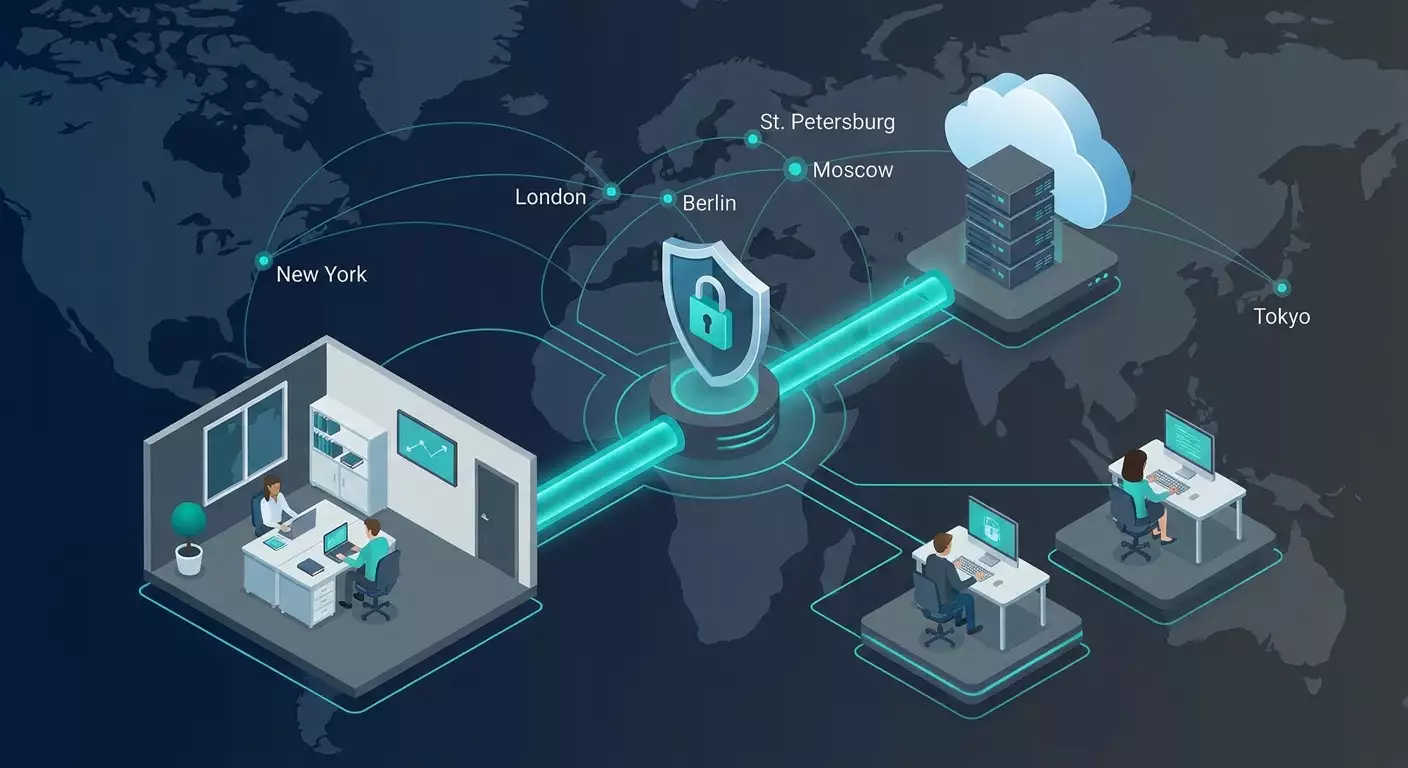
A VPN is an encrypted "tunnel" between network nodes (an employee’s device and a corporate server, two offices, or an office and the cloud). Encryption ensures confidentiality, while authentication makes sure only authorized users and devices enter the tunnel. VPNs mask internal addressing, isolate services, enforce access policies, and track activity.
Key Types of VPNs
- Remote Access VPN — allows employees to securely access corporate resources from anywhere. Typically operates over SSL/TLS, WireGuard, or IKEv2/IPsec, supports multi-factor authentication (MFA), and offers user-friendly clients.
- Site-to-Site VPN — connects offices or office-to-datacenter/cloud networks into one secure network. Usually based on IPsec or WireGuard, with routing between subnets.
- Cloud VPN — a virtual server in the cloud providing access to corporate resources and/or internet with a corporate IP. Ideal for small teams and fast scaling.
A Quick Look at VPN Protocols
- WireGuard — a modern, lightweight, and fast protocol built on Curve25519 and ChaCha20-Poly1305 cryptography. Known for easy setup, high speed, and robustness on mobile networks.
- OpenVPN — tried-and-true, flexible protocol running over TLS, supporting complex scenarios and compatibility with legacy setups.
- IKEv2/IPsec — a de facto standard for site-to-site and mobile clients; resilient to connection drops, supports hardware acceleration, and fits corporate routers well.
- L2TP/IPsec and SSTP — mainly used for compatibility with certain operating systems and networks; considered transitional solutions today.
Why Small Businesses Need VPN for 152-FZ Compliance
- Confidentiality: encrypt traffic when transmitting personal data, trade secrets, contracts, and financial operations.
- Integrity: prevent data tampering or substitution with cryptographic checks and integrity validations.
- Availability: ensure backup channels and access points so business processes don’t stall.
- Access Management: enforce role-based access, log user and device actions—essential for compliance and internal investigations.
Deep Dive: Advanced Aspects of VPN Use
Russian Legal Requirements Focused on SMB
- Federal Law 152-FZ on Personal Data: mandates legal grounds for processing, operator notification/registration, and organizational and technical protective measures (local policies, threat models, certification/assessment as needed).
- Federal Law 242-FZ (Data Localization): requires primary recording and storage of Russian citizens' personal data on servers located within Russia. VPN helps segment access and ensure processing of PII stays within Russia’s perimeter.
- Cross-border Transfer: to transfer PII abroad, legal grounds, recipient country protection assessment, Roskomnadzor notification, and contractual guarantees are necessary. In networks, this is handled through routing policies and logging transfer events.
- Federal Law 187-FZ on Critical Infrastructure: imposes heightened protection, incident logging, and certified tools requirements for critical infrastructure entities. Even if you’re not one, following best practices is wise.
- Industry Norms: PCI DSS for card processing, Federal Law 402-FZ (accounting) influencing record-keeping, and GDPR when serving EU citizens.
Threat Model and VPN’s Role
Define a threat model adapted for SMBs using the approach: data-users-services-channels. For each, assess confidentiality, integrity, and availability. Apply a simplified STRIDE framework: Spoofing (S), Tampering (T), Repudiation (R), Information Disclosure (I), Denial of Service (D), Elevation of Privilege (E). VPN reduces the risk of Information Disclosure and Spoofing/Tampering on the channel but doesn’t replace application-level access controls and logging.
Why a Dedicated IP Matters
A dedicated “white” IP address serves multiple purposes for small businesses: whitelisting in banks, accounting services, and CRM; reducing fraud triggers with payment providers; stable API integrations with rate limiting and geo-checks; proper SPF/DKIM/DMARC for corporate email with a fixed egress IP. A VPN with a personal IP simplifies audits and makes network activity easier to explain.
Encryption and Key Management
- Modern cipher suites: WireGuard uses ChaCha20-Poly1305; OpenVPN leverages TLS 1.3, AES-GCM, and Perfect Forward Secrecy (ECDHE); IKEv2/IPsec relies on AES-GCM, SHA-2, and ECDSA.
- Key management: unique keys per user/device, expiration periods, revocation via CRL/OCSP (for TLS), rotation after incidents, secure storage in secret vaults.
- MFA and certificates: combinations of certificate + password + OTP/push notifications, device posture checks.
Practice 1: Legal-by-Design – Designing a VPN for 152-FZ
Step 1. Classify Your Data
Create a simple matrix categorizing personal data (general, special, biometric), official data (contracts, invoices), and trade secrets. For each, specify criticality levels and allowed transmission channels.
- Attribute template: data owner, accounting systems (CRM/ERP/email), storage location (Russia/cloud), legal processing grounds, retention period, processor/operator registries.
Step 2. Map Data Flows
Diagram data sources (website, messengers, call center), processing points (CRM, 1C, storage), and recipients (logistics, accounting, payment providers). Mark Russian borders and foreign vendors. The goal: understand where VPN must encrypt and where traffic should be routed within Russia.
Step 3. Define Legal and Technical Measures
- Legal: processing policies, consents, processor instructions, cross-border transfer procedures (if applicable), and subject request logging.
- Technical: VPN segmentation, role-based access, MFA, encryption at rest (servers/laptops), Data Loss Prevention (DLP) on key channels.
Step 4. Choose a VPN Topology for Your Case
- Office ↔ Cloud (RU): site-to-site VPN between office and Russia-based cloud; remote employees connect to cloud VPN. All PII stays within Russian segments.
- Branches ↔ Headquarters: mesh office tunnels, centralized egress via main node, unified content policies, and DNS filtering.
- Hybrid: some services in Russia, others international; PII processed locally, minimal anonymized traffic (pseudonymization/tokenization) to external services.
Step 5. Document Everything
- VPN system/perimeter passport: node list, software versions, network ranges, encryption algorithms, ports, backup procedures.
- Procedures: user onboarding/offboarding, certificate revocation, incident response (who does what when), key rotation plan.
Legal-by-Design Checklist for SMB
- Data categories and locations documented.
- Data flows diagrammed with Russian borders marked.
- Protocol and topology chosen to ensure localization and encryption.
- MFA, role-based access, and access logs stored in Russia implemented.
- Procedures described and responsible persons assigned.
Practice 2: Architectural Patterns and Step-by-Step Implementation
Pattern A. Cloud-Hub for Small Businesses (10–50 Employees)
Concept: one cloud VPN hub in Russia (virtual server), connecting employees, office gateways, and servers. Internet exits through that hub with a fixed IP; internal access via routing.
Design
- Size: 2 vCPUs, 2–4 GB RAM, 1 Gbps network adapter for 20–50 simultaneous WireGuard sessions or 10–30 OpenVPN sessions (depending on load).
- Networks: internal VPN address pool (e.g., 10.20.0.0/24), routing to office/cloud subnets.
- Security: deny-by-default firewall, only necessary ports open (e.g., UDP/51820 for WireGuard), SSH access with keys from VPN network or via bastion host.
Deployment
- Deploy a virtual server in a Russian region, update OS, enable automatic security patches.
- Install chosen VPN (WireGuard/OpenVPN), generate server keys.
- Create client configuration templates, enable MFA (e.g., TOTP with OpenVPN certificates or device binding in WireGuard).
- Configure routing and split-tunneling: PII traffic strictly routed through Russian segments, general internet per policy (often also via VPN hub).
- Set up monitoring: export metrics to your SIEM/log storage, alert on failed logins and traffic spikes.
- Define disaster recovery procedures: snapshots, backup hub in another Russian location.
Pattern B. Office Mesh (2–5 Sites)
Concept: office routers establish persistent site-to-site tunnels. Headquarters acts as a hub with centralized DNS filtering and logging. Remote employees connect to the geographically closest hub.
Design
- Protocol: IKEv2/IPsec or WireGuard on gateways (MikroTik, OPNsense/pfSense, Linux routers).
- Networks: unique subnets per site (e.g., 10.10.0.0/24, 10.11.0.0/24), routed through central hub.
- QoS: prioritize traffic for critical apps (telephony, RDP), shape large update flows.
Deployment
- Assign address space and routes, avoiding conflicts with contractor subnets.
- Configure tunnels at each gateway to the hub, key exchange, PFS checks, AES-GCM/SHA-2 ciphers.
- Enable tunnel health checks and automatic failover on backup links/providers.
- Integrate with centralized DNS and logging (syslog agents, sending to SIEM).
Pattern C. Zero-Trust-Lite for SMB
Concept: instead of a full "corporate VPN for everyone," grant access only to specific applications. Devices and users are verified (MFA, posture), and tunnels open only to required services, reducing lateral movement risk.
Design
- Policies: role → app → protocol → work hours → geo/ASN restrictions.
- Posture: disk encryption, antivirus/EDR, OS version checks. Non-compliant devices get minimal access to update portals only.
Deployment
- Identify applications and ports; place them behind a front proxy/VPN gateway.
- Set up SSO+MFA authentication, device certificates, and trusted device lists.
- Enable app audit trails and correlate with VPN logs.
Choosing the Protocol for Your Needs
- Mobile devices and unstable networks: WireGuard or IKEv2 for resilience to IP changes and fast reconnections.
- Compatibility and flexibility: OpenVPN, especially for fine-grained TLS and profile control.
- Inter-office tunnels: IKEv2/IPsec on hardware gateways or WireGuard on Linux routers.
Practice 3: Remote Access, BYOD, and Device Management
Access Policies
- Role separation: accounting, sales, support in different segments with distinct ACLs.
- MFA and SSO: single sign-on with mandatory second factor (TOTP, push, U2F keys), minimizing password use.
- Time and geo restrictions: limit access to certain hours and countries/ASNs; temporary expansions for travel with logging.
BYOD with Risk Control
- MDM/EMM: profiles for iOS/Android/macOS/Windows; containerization of corporate data on mobile devices.
- Device policies: disk encryption, password/biometrics, root/jailbreak blocking, prohibition on unsafe apps.
- Onboarding: issuing VPN profiles, instructions, MFA enrollment; compliance checks; signing BYOD policy.
- Offboarding: certificate/token revocation, corporate container wipe, ACL removal, logging actions.
Client Setup for Popular Operating Systems
- Windows/macOS: WireGuard/OpenVPN clients; IKEv2 via built-in stacks; preconfigured profiles with security settings locked.
- iOS/Android: configurations via MDM; Always-On VPN for critical roles; disallow unauthorized VPN profiles.
DNS and Content Control
- Corporate DNS via VPN with filtering of malicious domains and phishing blocks.
- DoH/DoT policies: ban bypass through public resolvers, centralized query logging (pseudonymizing PII-sensitive domains).
Practice 4: Operational Security, Monitoring, and Resilience
Logging and Analytics
- What to log: authentication attempts (success and failure), session details (time, IP, volume), config changes, routing and tunnel events.
- Where to store: central log storage in Russia, offline backup; retention as per policies and regulations.
- SIEM: basic correlation rules for spikes in failed authentications, concurrent logins from conflicting geos, unexpected traffic surges during off-hours.
Vulnerability Management
- Patching: prompt VPN software and OS updates; canary releases on backup nodes.
- Scanning: regular external/internal scans, tests for weak ciphers and open ports.
- Penetration Testing: annual perimeter checks and VPN account compromise scenarios (password spraying, reuse).
Keys and Certificates
- Secret storage: least privilege access, audits, hardware tokens for critical keys.
- Rotation: scheduled server and client key changes; automatic revocation on employee termination or device loss.
High Availability and Disaster Recovery
- Backup hubs: active-passive or active-active across Russian data centers; health checks and automatic failover.
- RTO/RPO: define recovery time and point; keep infrastructure configs as code (deployment scripts).
- Load Testing: simulate peak connections, check QoS degradation.
Operational Procedures
- SOPs: daily/weekly/monthly checks (tunnel status, key usage, logs).
- Incident Response Playbooks: compromised account, config leak, suspicious traffic, hardware failure.
Practice 5: Economics, Provider Selection, and Success Metrics
Cost Considerations
- CAPEX vs OPEX: cloud VPNs minimize capital spending; hardware involves higher CAPEX but potentially lower OPEX long-term.
- Hidden costs: user support, training, downtime, incidents, compliance penalties.
- ROI: weigh VPN costs against potential incident risks (fines, downtime, reputational damage).
Selection Criteria
- Dedicated IP for whitelist and anti-fraud.
- Support for needed protocols (WireGuard, OpenVPN, IKEv2, L2TP, SSTP) for compatibility.
- Server locations within Russia for localization and near end-users for performance.
- Payment and billing convenient for SMBs (including Russian cards, SBP).
- Clear logging policies and quick startup.
Success Metrics
- Security: percentage of users with MFA, average incident response time, key rotation frequency.
- Performance: average and 95th percentile latency, bandwidth per user, reconnection rates.
- Compliance: log completeness, policy coverage, audit/self-check results.
Practice 6: Routing, Split-Tunneling, and Minimizing Cross-Border Transfers
Routing Policies
- Full Tunnel: all traffic passes through corporate egress. Pros: control; cons: load and latency.
- Split Tunnel: VPN handles corporate networks and critical services; other traffic goes directly. Requires precise setup to prevent PII leaks.
Practical Tips
- Domain/IP lists for corporate services including SaaS processing PII; keep updated regularly.
- Policy verification: automated route tests on each config change.
- DNS control: resolve corporate domains inside VPN; public domains per policy.
Pseudonymization at Boundaries
If some integrations connect to foreign services, implement pseudonymization: tokens instead of personal identifiers; keep mapping tables in Russia; transfer only tokens and aggregate data externally. This reduces risks of cross-border personal data transfers.
Practice 7: Documentation, Training, and Security Culture
SMB Document Package
- Information Security Policy including "VPN Access" section.
- Personal Data Processing Regulations, processor registry.
- BYOD/MDM Policy.
- Incident Response Playbooks and VPN threat catalog.
- Admin action and config change logs.
Employee Training
- Onboarding: explain what VPN is, why it must stay on, how to use MFA.
- Phishing and Social Engineering risks related to VPN credential theft.
- Least Privilege principle and working strictly within assigned segments.
Culture
VPN should not be a hurdle. If policies are too strict, people find workarounds. Balance security and convenience: fast clients, reliable reconnections, clear instructions, and reasonable controls.
Common Mistakes: What to Avoid
- One shared account "for all freelancers." This kills investigations and compliance.
- No MFA "for convenience." Modern attacks often rely on password capture or guessing.
- Weak cipher suites and outdated protocols. Regularly review configs.
- No logs or unreadable logs. Without logs, you’re blind and unproven during audits.
- Open access from VPN to the entire office. Minimize lateral movement and segment networks.
- Informal onboarding/offboarding processes. A former employee with active profiles is a risk.
- Relying on "one provider solves all" without internal discipline. Processes matter more than tools.
- Ignoring localization — sending PII through foreign nodes by default in split tunneling.
Tools and Resources
Protocols and Servers
- WireGuard — minimalist, fast, great for mobile and cloud.
- OpenVPN — flexible, widely compatible, mature ecosystem.
- strongSwan/LibreSwan — IKEv2/IPsec implementations for Linux.
- SoftEther/SSTP — optional for complex network compatibility.
Distributions and Appliances
- OPNsense/pfSense — user-friendly UI, support for IPsec, OpenVPN, WireGuard, firewall, IDS/IPS.
- MikroTik/EdgeRouter — affordable routers with IPsec and WireGuard support.
- Linux Bastion — lightweight cloud hubs.
Access Management and MFA
- SSO providers supporting SAML/OIDC, TOTP/U2F; integration with VPN via RADIUS/TLS.
Monitoring and Logs
- SIEM and log repositories: collect syslog, metrics, and alert on anomalies.
Practical Recommendation: When You Need a Personal VPN Server
If your company values a stable dedicated IP for whitelisting in client banks, accounting services, CRM, and API integrations, consider vpn.how as a practical option. Its strengths for SMBs include a personal VPN server (not shared) with a dedicated IP; support for WireGuard, OpenVPN, IKEv2, L2TP, and SSTP—letting you pick protocols fitting your infrastructure and compatibility needs; servers in Moscow and St. Petersburg (crucial for localization and low latency), plus Amsterdam, Frankfurt, London, New York, San Jose, Chicago, Singapore, Sydney, Madrid, Helsinki, Stockholm, Warsaw, Copenhagen, and Stavanger—for remote workers and foreign integrations without PII transfer; payment via Russian cards (including Tinkoff and Ozon), SBP, and USDT/BTC—addressing typical SMB pain points; transparent pricing from 490 ₽ per day and 2490 ₽ per month with discounts for longer terms; auto server launch within 5 minutes after payment and no-log policies to help you start quickly and meet data minimization requirements. This is not advertising, but practical advice: a dedicated IP significantly simplifies compliance and integrations.
Cases and Results: Real-World Examples
Case 1. E-commerce, 25 Employees, PCI DSS Context
Challenge: reduce risk of card data leaks in order → payment → processing chain. Solution: Cloud-Hub in Russia on WireGuard, full tunnel for Payment and Support roles, split tunnel for Content/Marketing. Dedicated IP whitelisted by acquirer and anti-fraud. MFA via TOTP, logs in SIEM. Result: latency reduced by 18% compared to previous SSL-VPN appliances; fraud alerts due to "unstable IP" dropped by 70%; PCI audit confirmed "adequate control of PII channels"; employee onboarding time cut from 1.5 days to 45 minutes.
Case 2. B2B Service with Branches, 80 Employees
Challenge: unify 3 offices and 40 remote specialists, ensure localization of Russian clients’ data. Solution: Office Mesh with IKEv2/IPsec for sites, remote users via WireGuard to central hub, corporate DNS, event logging in Russia, "least necessary access" policy. Result: 99.96% tunnel uptime over quarter; average incident response 22 minutes; localization compliance confirmed in inspection; connection drop complaints down 60%.
Case 3. Outsourced Accounting, 15 Employees, Sensitive Personal Data
Challenge: secure access to 1C and documents; minimize risk of viewing others' cases and leaks. Solution: Zero-Trust-Lite—users access only their own database, device posture checks (disk encryption, up-to-date patches), Always-On VPN on mobile, dedicated IP whitelisted by banks and government portals. Result: zero lateral movement incidents; onboarding time cut by 30%; four prevented external login attempts thanks to geo restrictions and alerts.
FAQ: 10 In-Depth Questions
1. Is VPN legal for business use in Russia?
Yes, corporate VPNs are legal. They must not be used to access prohibited resources. The key is to comply with Federal Law 152-FZ, localize PII within Russia, and properly document cross-border transfers when necessary.
2. Which protocol to choose: WireGuard, OpenVPN, or IKEv2?
WireGuard offers speed and simplicity for mobile and cloud; OpenVPN is flexible and compatible; IKEv2/IPsec is standard for inter-office tunnels and routers. A hybrid approach is common: IKEv2 for sites, WireGuard for employees.
3. Do I need a dedicated IP?
If you connect to client banks, payment systems, corporate email, or APIs and want whitelisting and stable outgoing IP reputation, a dedicated IP greatly eases operations and auditability.
4. How to prevent PII from leaving Russia?
Use Russian locations for hubs, full tunnels for PII-handling roles, strict routing policies, and corporate DNS. Implement tokenization and pseudonymization at boundaries if needed.
5. How to ensure audit readiness?
Keep authentication and activity logs stored in Russia; maintain up-to-date policies and data flow diagrams; log config changes; document key rotations; keep onboarding/offboarding records; log incidents and responses.
6. What is the minimal protection set for SMB?
MFA, role segmentation, current cipher suites, centralized log storage, regular updates, basic anomaly monitoring, backup hubs.
7. How to manage personal devices of employees?
BYOD only with policies: MDM/EMM, disk encryption, password rules, containerization, root/jailbreak blocking, app controls. Otherwise, use corporate devices.
8. How to measure if our VPN "works well"?
Track metrics like tunnel availability, 95th percentile latency, reconnection rates, average incident MTTR, MFA adoption, log completeness, and pass rates of routing policy tests.
9. Can we avoid logging to "protect employee privacy"?
No. Logs are essential for security and compliance. Mitigate impact by logging only technically necessary events, restricting access, and anonymizing where possible and allowed.
10. How fast can I get a working test setup?
One to two hours for a basic stand: virtual server in Russia, install WireGuard/OpenVPN, generate keys, configure 3–5 clients, base routes, MFA, log forwarding. Then fine-tune policies, segmentation, and backups.
Conclusion: Summary and Next Steps
A VPN isn’t just an "encrypted pipe". For small businesses in Russia, it’s a risk management, compliance, data localization, and integration reliability tool. Key principles: design Legal-by-Design, keep PII in Russia, minimize access, log events and maintain policies, train people, and test infrastructure. Start practically with three steps: 1) document data flows and choose topology (Cloud-Hub, Office Mesh, or Zero-Trust-Lite); 2) deploy a pilot hub in Russia with MFA, logging, and dedicated IP; 3) establish onboarding/offboarding, key rotation, and incident response processes. Within 2–4 weeks, you can move from pilot to production, covering 80% of basic risks. Afterwards, focus on monitoring, improving metrics, and regular audits. Then VPN becomes not a headache, but a competitive advantage: your services stay available, client data is secure, audits pass confidently, and partners trust your integrations.