Roskomnadzor TSPI in 2026: How DPI Works and Reliable Circumvention Methods
An in-depth analysis of Roskomnadzor TSPI and modern circumvention techniques: from DPI and ECH principles to practical setups using WireGuard, IKEv2, OpenVPN, v2ray/REALITY, Hysteria2, and split-DNS. Step-by-step guides, checklists, case studies, and tools for consistent connectivity.
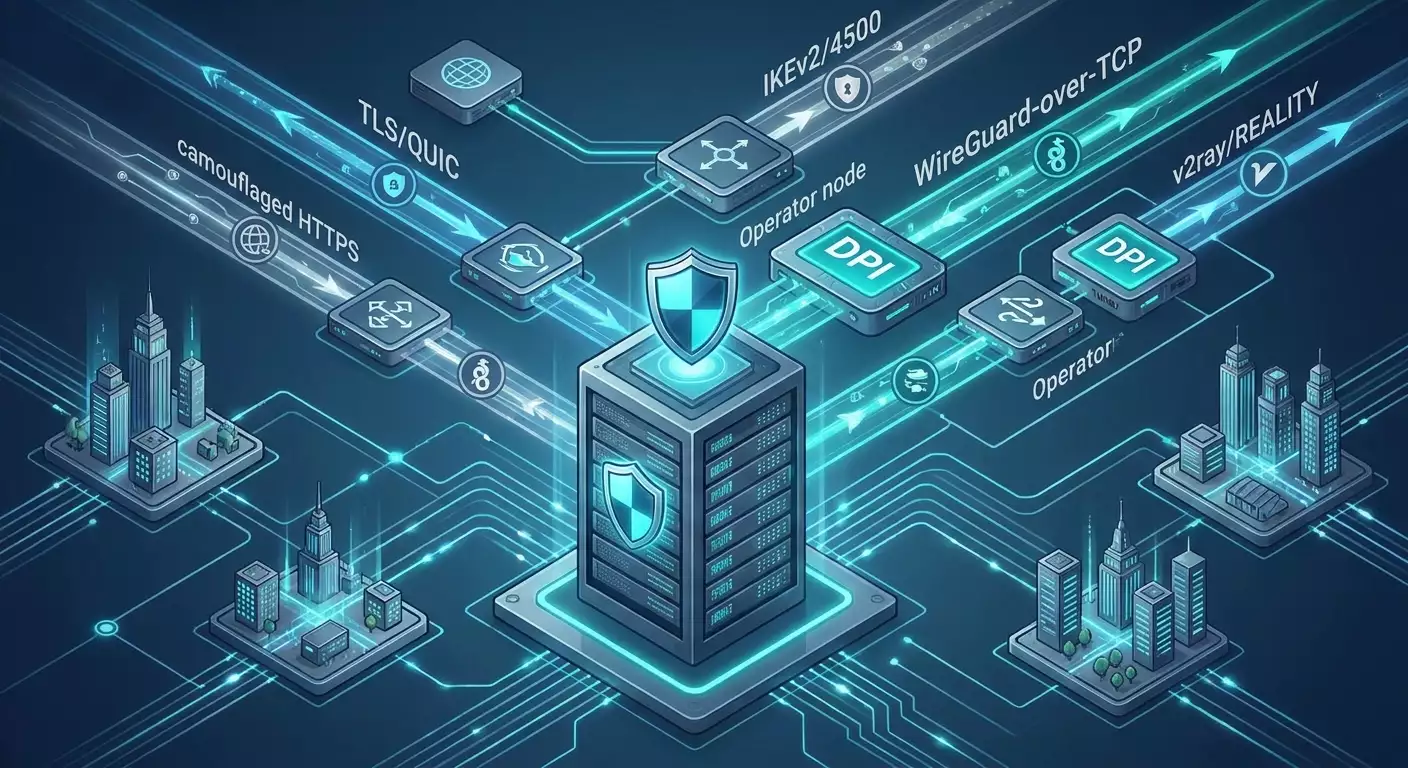
Content of the article
- Introduction: why this topic matters in 2026 and what you'll gain
- Basics: core concepts of dpi and tspi
- Deep dive: how dpi evolved by 2026
- Method 1. dns strategies: from basic hygiene to robust schemes
- Method 2. personal vpn server with the right protocol and obfuscation
- Method 3. camouflage as real https: v2ray/reality, trojan, naiveproxy
- Method 4. next gen quic protocols: hysteria2, tuic and their tuning
- Method 5. tunneling over websocket/grpc and cdn
- Method 6. shadowsocks 2026+: plugins, obfs4, cloak, and naive
- Method 7. fault-tolerant architectures: multi-endpoint, split-tunneling, failover
- Common mistakes and how to avoid them
- Tools and resources: what to use in practice
- Cases and results: what works in the field
- Faq: 10 key questions
- Conclusion: 2026 strategy
Introduction: Why This Topic Matters in 2026 and What You'll Gain
By 2026, Roskomnadzor's TSPI system and operator DPI have revamped almost all previously known circumvention techniques. Blocking is now more selective, active probing more aggressive, and heuristics smarter. Still, businesses, journalists, researchers, and everyday users need reliable communication channels: for remote work, corporate access, development clouds, educational platforms, legal foreign media, and services. In this article, without fluff or marketing, we break down exactly how TSPI works, the signs used to detect tunnels, what DPI actually sees and what it misses; we provide step-by-step configuration schemes, resilience checklists, and scenarios for various risk profiles. You'll walk away knowing which protocols to choose, how to mask handshakes, build fault tolerance, and where solutions typically fail.
Important note: The material below is technical and educational. Please comply with your jurisdiction’s laws and your organization’s policies. Use these approaches only for legitimate purposes: protecting sensitive data, corporate access, network resilience testing, and privacy and security compliance.
Basics: Core Concepts of DPI and TSPI
What is TSPI and How It's Integrated into Operator Networks
TSPI (Technical Tools for Countering Threats) is a complex of DPI and control infrastructure deployed at telecom operators. It intercepts and analyzes traffic at L3-L7 levels, applying rules to DNS, SNI, IP ranges, protocols, and statistical features. Management is centralized: lists, signatures, behavioral models, and update delivery policies.
DPI: Where Exactly Traffic Is Inspected
- L3/L4: IP addresses, ports, protocol type (TCP/UDP/ICMP), partial QUIC/UDP-443 inspection.
- L5-L7: TLS ClientHello (SNI, version, extensions), ALPN, JA3/JA4 fingerprints, HTTP/2 frames, WebSocket upgrades, DNS packets (including DoT/DoH SNI/Host), SSH banners, OpenVPN handshake, WireGuard cookies and traffic patterns.
- Behavioral analysis: packet frequency, MTU/segmentation, initial packet sizes, timings, inter-packet interval distributions, session durations, port reuse, and endpoints.
Blocking Vectors
- DNS: response replacement, NXDOMAIN, blocking DoH/DoT by SNI/ALPN/JA3.
- SNI/HTTP host: filtering domains in TLS ClientHello or HTTP1.1/2 headers.
- IP/port: blocking by address or port (often UDP/443, 853, 500, 4500, 1194, etc.).
- Protocol signatures: OpenVPN, Shadowsocks, standard WireGuard, SSTP, L2TP/IPsec.
- Throttling: intentional slowing of specific flows (e.g., past cases of degradation targeting "media CDN" or "t.co" patterns).
- Active probing: scanning suspicious IP/ports to identify proxies and tunnels (Shadowsocks, v2ray, trojan, etc.).
Deep Dive: How DPI Evolved by 2026
Handshake Signatures and TLS Fingerprints
Modern DPI not only sees the SNI but also matches the ClientHello extension set, field order, GREASE values, supported ciphers, ALPN (e.g., h2, http/1.1, h3), generates JA3/JA4 fingerprints, and compares them against a reference database of common clients (Chrome, Firefox, Safari, Windows/iOS/Android TLS stacks). Any anomaly like a “browser with unusual extension set but no valid following HTTP request” is a red flag.
QUIC/HTTP3 and Operator Policies
UDP-443 is often suspicious. On some networks, QUIC is systematically slowed or selectively blocked, especially for non-standard implementations (Hysteria2, TUIC). Effective strategies include disguising as valid h3 traffic on real domains or switching from QUIC to TLS-over-TCP with plausible client profiles.
Active Probing and Behavioral Models
Between 2024-2026, active probing intensified: upon detecting a potential proxy port, systems try to initiate handshakes repeatedly with variations, simulating different clients. Default-configured servers often betray themselves with fixed phrases or specific behaviors. Heuristic detection also improved: long stable TCP sessions with unusual frame size distributions, steady bitrate, and absence of “human” pauses are targeted.
ECH, ESNI and Metadata Encryption Limits
ECH (Encrypted ClientHello) is supported by major browsers via large CDNs and TLS providers in 2026. However, ECH doesn’t solve IP-level blocking or hide the mere contact with a particular host at the IP range level. Blockers may cut ECH based on statistics or block the backend IP pool entirely if the risks are deemed acceptable. Conclusion: ECH is part of the puzzle, not a silver bullet.
Threat Summary
- Protocols lacking credible handshake-layer obfuscation are vulnerable.
- UDP-based solutions offer speed advantages but face extra scrutiny.
- Success odds increase with legitimate client imitation (uTLS), masking with real domains, and smart DNS routing.
Method 1. DNS Strategies: From Basic Hygiene to Robust Schemes
Why Start with DNS
Up to 30-60% of real-world blocks are pure DNS filtering. If your resolvers are intercepted or responses spoofed, your tunnel is doomed: you either won’t reach the server or land on fake IPs. Correct DNS is the cornerstone for DPI bypass.
Effective Approaches
- Local resolver on device/router: Unbound, dnsmasq + DNSSEC validation, caching, leak minimization.
- DoH/DoT to trusted resolvers by IP, using SNI masking or ECH. If not possible, bootstrap via hardcoded IPs and SPKI pin verification.
- DNSCrypt/Anonymized DNS: additional obfuscation by separating "relay/resolver" roles.
- Split-DNS: resolve critical domains through the tunnel, local resolution for the rest to maintain plausibility.
- Fallback channels: multiple DoH endpoints with varying ALPNs/ports (443, 8443, 10443), using Happy Eyeballs timers.
Step-by-step (PC/router)
- Install Unbound on router/host. Enable DNSSEC, set caching-min-ttl=300, harden-below-nxdomain=yes.
- Configure forwarding to 2-3 DoH/DoT resolvers by IP (without hostname), enable SPKI pin certificate verification.
- Add fallback: one DoH with standard ALPN, one with h2-only, one on non-standard port (8443).
- On clients, set local resolver (127.0.0.1) as sole DNS.
- Check with dig and tls-trace (openssl s_client) that the path is encrypted with no spoofing.
DNS Resilience Checklist
- No open 53/udp to provider side (avoid easy spoofing).
- At least three DoH/DoT options with different network profiles.
- Cache enabled with TTL no less than 300 seconds, but not excessive (to prevent poisoning).
- Critical domains (tunnels, backends) resolve within protected channel.
Method 2. Personal VPN Server with the Right Protocol and Obfuscation
Why a Personal Server Beats Public Shared Ones
Shared VPN pools enter blocklists faster: hundreds of users generate recognizable traffic profiles, and IP reputation quickly turns negative. A personal server with a dedicated IP looks like a private host and is detected less often. With proper setup, handshakes and packet profiles imitate normal services.
Protocol Selection: A Quick Guide
- WireGuard: fast, minimalist. Vulnerable without obfuscation (standard UDP pattern), but works well through wrappers (wg-over-tcp, udp2raw, WebSocket/gRPC).
- IKEv2/IPsec: native to OS, stable in NAT/CGNAT networks, especially on port 4500 (NAT-T). Usually tolerated by DPI if profiles are well crafted and extra services aren’t exposed.
- OpenVPN: flexible. TCP+443 with tls-crypt, uTLS wrapper, and HTTP2 imitation can be resilient but requires meticulous tuning and MTU adjustment.
- OpenConnect/AnyConnect (ocserv): TLS-based with a credible profile. Shows solid survival on some networks.
- SSTP: TCP 443, looks like HTTPS but signatures are known. A backup option.
Practice: IKEv2 on 4500 and WireGuard with Obfuscation
Option A: IKEv2 (strongSwan) with MOBIKE and port 4500
- Deploy VPS in a region with good connectivity (Europe, close to RU IXs). Ensure UDP ports 500 and 4500 are open.
- Install strongSwan, create PKI: root and server certs with modern curves (P-256 or Ed25519 for authentication, AES-GCM for encryption).
- Enable MOBIKE (seamless network switching), NAT-T is mandatory.
- Close unnecessary services on the server, only allow 4500/udp (and 500/udp).
- Create profiles for devices: Windows, iOS, Android, macOS support IKEv2 natively.
- Tuning: dpdaction=clear, ikelifetime=20m, lifetime=1h, rekeymargin=3m; MSS clamp 1360-1380 if fragmentation is observed.
- Verify critical domain resolution goes through the tunnel (split-tunneling by required prefixes).
Option B: WireGuard with TCP or WebSocket Obfuscation
- Install WireGuard (wg-quick) by default. Don’t use standard UDP/51820.
- WireGuard-over-TCP: run a proxy layer (e.g., sing-box or Xray) with tcp+tls transport forwarding to local wg. Enable uTLS profile matching Chrome, ALPN: h2,http/1.1.
- Alternative: WireGuard-over-WebSocket over TLS 443 masking real domain (server_name), forwarding to local wg port.
- Optionally: use udp2raw to encapsulate UDP in UDP/TCP with randomization.
- Port: 443/tcp. Certificate from a legitimate CA to mask the real domain (or use REALITY approach with validation without issuing certs — see Method 3).
- Adjust MTU: client 1280-1360, server similarly, to avoid fragmentation.
Personal VPN Checklist
- Dedicated IP, all unnecessary ports closed, no responses to active probes (fake handshakes).
- TLS fingerprint mimics popular browser (uTLS), valid ALPN, plausible certificate.
- Split-tunneling: only what’s needed goes through tunnel; other traffic goes direct.
- Failover: secondary endpoint on different port/protocol.
Practical Recommendation for Personal Servers
For readers seeking ready-made solutions without self-administration, consider vpn.how as a way to quickly set up a personal VPN server with a dedicated IP (not shared). It lets you choose protocols tailored to your network (WireGuard, OpenVPN, IKEv2, L2TP, SSTP), supports DPI-resilient ports and modes (e.g., WireGuard on non-standard ports or IKEv2 on 4500/udp), offers distributed locations (Moscow, St. Petersburg, Amsterdam, Frankfurt, London, New York, San Jose, Chicago, Singapore, Sydney, Madrid, Helsinki, Stockholm, Warsaw, Copenhagen, Stavanger), accepts Russian cards (Tinkoff, Ozon), SBP, USDT/BTC, and auto-deploys servers within about 5 minutes post payment. Pricing includes short-term plans (starting at 490 ₽ per day) and monthly subscriptions (from 2490 ₽), with discounts for longer terms. Dedicated IP and no logs reduce the risk of mass blocklists compared to shared pools. Such a solution is especially valuable when predictable addresses and protocol flexibility matter.
Method 3. Camouflage as Real HTTPS: v2ray/REALITY, Trojan, NaiveProxy
Concept
If DPI searches for "fake" TLS, give it a highly convincing HTTPS profile: real SNI, valid ALPN, client fingerprint matching popular browsers, and traffic behavior consistent with usual web browsing.
Tools
- Xray (v2ray) with REALITY: disguises as a real host without issuing certificates on the proxy server. The client validates the target "like" a real site, and the server cooperates at handshake level. Proper key and domain configuration is critical.
- Trojan: mimics HTTPS with a password at the TLS layer. Simple but requires careful setup and domain/certificate.
- NaiveProxy: HTTP/2 or HTTP/3 proxying using browser stacks (very credible profile), a strong candidate against signature-based DPI.
Step-by-step (Xray REALITY example)
- Deploy Xray on 443/tcp with tcp+tls transport. Configure REALITY: set the "masking" real domain (e.g., a major web resource) and respective keys.
- Enable uTLS on client, choosing Chrome or Firefox profile.
- For hygiene, optionally put nginx with static content before Xray, so active probes see a normal HTTPS site.
- Use v2rayN/v2rayNG/sing-box on client, import JSON configuration, verify fingerprints.
HTTPS Camouflage Checklist
- Credible SNI and ALPN; avoid rare combinations.
- uTLS impersonation of popular browsers.
- No "chatty" behavior on invalid handshakes (active probing).
- Hidden backend: direct domain access shows a normal page, not errors.
Method 4. Next Gen QUIC Protocols: Hysteria2, TUIC and Their Tuning
Why They're Interesting
Hysteria2 and TUIC leverage QUIC with modern congestion control (BBR and similar), resilient to packet loss, providing excellent uplink for video/conferencing and RDP/SSH. The downside is DPI bias against UDP-443 and operators’ dislike of "too perfect" streams.
Setup Practice
- Deploy Hysteria2/TUIC server on both 443/udp and 8443/udp (two endpoints), enable obfs key, use fakeTLS headers on some networks.
- Adjust uplink/downlink limits, turn on congestion=BBR.
- Add TCP fallback (on 443/tcp) on the same host for clients to switch if UDP is blocked.
- Enable Happy Eyeballs client side: start connections in parallel on two addresses/ports and pick the successful one.
Key Tips
- If QUIC is cut off, switch to TCP masking (see Method 3).
- Watch MTU, especially when VPN runs over QUIC or vice versa.
- Run different protocols on the same IP but avoid exposing a "port zoo."
Method 5. Tunneling Over WebSocket/gRPC and CDN
Essence
WebSocket over TLS 443 or gRPC over HTTP/2 look plausible as web services. With proper server setup, they can hide internal proxies (vless/ws, trojan/ws) and pass through CDNs if CDN policies allow.
Step-by-step (using sing-box/Xray)
- Configure ws or grpc transport with paths mimicking real APIs, such as /api/events or /cdn/trace.
- Place nginx/caddy in front to serve static files and proxy /api/ to the internal proxy port.
- Enable uTLS and use valid certificates.
- When using CDN, follow rules: respect ToS, avoid forbidden domain fronting. Test for latency and stability.
Limitations
- Domain fronting is often disabled by major CDN providers. Focus on legitimate content publishing and reverse proxying.
- Active probing will check paths. Respond with valid replies to GET/HEAD requests.
Method 6. Shadowsocks 2026+: Plugins, obfs4, Cloak, and Naive
Relevance
Plain Shadowsocks is well-known in signature databases. Yet, shadowsocks-rust with plugins (v2ray-plugin, simple-obfs, obfs4, cloak, naive) and careful tuning can survive DPI, especially if TLS/HTTP emulation is flawless.
Recommendations
- Use shadowsocks-rust with 2026 ciphers: chacha20-ietf-poly1305 or 2022-blake3 modes.
- Plugins: naive (HTTP2/3), cloak (dynamic keys and masks), obfs4 (bridge-style), v2ray-plugin (ws+tls).
- Run server behind nginx/caddy to serve valid responses on direct access.
Verification
- tcpdump/wireshark: initial packets match TLS/HTTP profiles.
- ja3/ja4: fingerprints correspond to Chrome/Firefox.
- Active probes receive "normal" site responses.
Method 7. Fault-Tolerant Architectures: Multi-Endpoint, Split-Tunneling, Failover
Why It’s Needed
Single solutions can fail—due to IP blacklisting, detection by signature, or regional policies. Architecture should allow quick automatic fallback.
Patterns
- Multi-endpoint: two to three hosts in different ASNs and regions. One TCP masked, one QUIC, one IKEv2.
- Split-tunneling: critical domains and prefixes go through tunnel; everything else directly, to keep traffic profile human-like.
- Failover DNS: SVCB/HTTPS records with priorities, short TTLs, alternative names.
- Client policies: auto-reinit on RTO > 2s, transport switching, reconnect with jitter.
Implementation Steps
- List applications/services requiring the tunnel (Git, Jira, dev clouds, messengers).
- Build routing tables: policy-based routing by FQDN/ipset.
- Set up monitoring: smokeping/mtr for each endpoint, alerts on degradation.
- Configure clients with two profiles, scripts for quick switching, hotkeys.
Common Mistakes and How to Avoid Them
- Shared VPN without obfuscation: IPs already blocked, handshake revealed — connection drops or slows.
- Open port lists: exposing 22/80/443/8443/1194/51820 invites active probing detection. Fix: close all except one or two "right" ports.
- Ignoring MTU/MSS: fragmentation kills speed and increases visibility. Set clamps and check PMTUD.
- DNS leaks: encrypt tunnel but leave DNS to provider. Set up local resolvers and split-DNS.
- Stamped TLS fingerprints: no uTLS, unrealistic ALPN. Fix your config.
- No backup plans: no spare endpoints/protocols leads to downtime.
- Old protocols: PPTP/L2TP without IPsec or OpenVPN without tls-crypt get detected quickly. Upgrade.
Tools and Resources: What to Use in Practice
Server Components
- strongSwan (IKEv2), WireGuard, OpenVPN (with tls-crypt), ocserv (OpenConnect), shadowsocks-rust.
- Xray-core (v2ray, REALITY, VLESS), sing-box (universal transport: ws/grpc/tls/hysteria/tuic), Hysteria2, TUIC, Trojan, NaiveProxy.
- nginx/caddy for front-end and plausible responses.
Clients
- WireGuard (official clients), OpenVPN Connect, native IKEv2 (Windows/macOS/iOS/Android).
- v2rayN (Windows), v2rayNG (Android), sing-box GUI (cross-platform), Clash Meta (for complex policies).
- Outline Client (for Shadowsocks scenarios).
Diagnostics and Tests
- tcpdump/wireshark: analyze initial packets, TLS handshakes.
- mtr/smokeping: route and latency stability.
- iperf3: throughput benchmarks.
- openssl s_client, curl -v --http2: verify ALPN, certificates, behavioral nuances.
- ja3/ja4 calculators: TLS fingerprint validation.
Cases and Results: What Works in the Field
Case 1: Distributed Product Team
Context: engineers in Moscow and St. Petersburg with access to repos, CI/CD, and artifacts in Europe. Initially used OpenVPN-UDP/1194 but faced frequent drops and degradation. Solution: IKEv2/4500 with MOBIKE for main work, WireGuard-over-WebSocket (443/tcp) as backup. Result: average latency to Git server 42-55 ms, stable 80-120 Mbps, zero disconnects over 30 days. Auto-switch to backup under 3 seconds.
Case 2: Media Editorial Office
Context: access to legal foreign sources and cloud transcoders. QUIC blocked during the day by one operator. Solution: NaiveProxy (h2) with uTLS Chrome profile and nginx front. Backup: Hysteria2 on 8443/udp (more stable at night). Result: 99.3% daytime uptime, 60-90 Mbps download speeds, timely publications. Night speeds 150+ Mbps via Hysteria2.
Case 3: Freelance Designer
Context: access to foreign stock and cloud editors from home ISP. Solution: personal IKEv2 and Shadowsocks-rust+naive as an alternative. Result: 35-40 ms to nearest European PoP, up to 25% faster downloads, no blocking incidents for 60 days.
Case 4: DevOps Setup for Remote Admin
Context: console access (SSH), RDP, web admin panels. Solution: WireGuard-over-TCP with grpc+tls transport, API traffic impersonation, policy-based routing: SSH/admin via tunnel, media direct. Result: RDP stable at 30-50 ms, SSH with no noticeable lag, no active probing triggers.
FAQ: 10 Key Questions
1. Is using VPN and DPI circumvention legal?
Depends on jurisdiction and purpose. For corporate security, remote access, and data encryption, it’s standard practice. Check local laws and employer policies.
2. Why did my VPN suddenly slow down or stop connecting?
Likely three causes: IP got blocked, DPI updated handshake signatures, or operator introduced port filtering/throttling. Solution: change IP/location, switch transport (e.g., from UDP to TCP+TLS obfuscation), update uTLS fingerprints.
3. Which to choose: WireGuard or IKEv2?
For max compatibility and native integration, use IKEv2/4500 with MOBIKE. For speed and simplicity, WireGuard with obfuscation (TCP/WebSocket/gRPC), otherwise it gets flagged by UDP patterns.
4. How good is OpenVPN in 2026?
Good if well wrapped: TCP 443, tls-crypt, HTTP2 imitation, careful MTU tuning. Raw UDP/1194 is vulnerable.
5. Will ECH completely hide SNI?
SNI itself, yes, but IP level remains visible. DPI may also cut ECH or block IP ranges. Use ECH as part of a strategy, not a standalone shield.
6. What about QUIC/HTTP3?
Works inconsistently on some operators. UDP-443 is throttled. Hysteria2/TUIC are good but always prepare TCP fallback.
7. Do I need a personal server or is public enough?
For resilience and predictability, personal is better: fewer risk of blacklist, flexibility in protocols, fingerprint control.
8. How to set up split-tunneling correctly?
Gather domain/prefix lists that must go through the tunnel (work resources, resolvers). Route the rest directly. Use ipset/fqdn-match and policy-based routing.
9. How to test stealthiness?
Capture pcap of initial 10-20 packets, check TLS fingerprints (JA3/JA4), verify ALPN validity, watch server response to malformed probes. Confirm a normal page appears on direct access.
10. What if my port is actively probed?
Enable restrictions: respond only to valid handshakes, randomize replies to anomalies, rotate ports/protocols on schedule, keep minimal open services on host.
Conclusion: 2026 Strategy
Anti-censorship and private channels today aren’t about a single “magic VPN,” but a well-thought architecture: solid DNS layer, personal server with dedicated IP, realistic TLS profile, thoughtful transport choice (IKEv2/4500, WireGuard with obfuscation, OpenConnect or Naive/REALITY), plus backups B and C. DPI evolves but foundational principles stay: mimic real service behavior, avoid exposure, check fingerprints and timings, maintain failover. Start by auditing DNS, then set up a personal endpoint with two independent transports, build split-tunneling. Test pcap and ja3/ja4 to ensure plausibility. Then scale up: automate profiles, monitoring, and failover. Follow these steps to secure stable access to needed services and dodge most TSPI traps in 2026.