Decentralized VPN (Mysterium, Sentinel): How It Works, Where It’s Useful, and What to Choose in 2026
An expert review of decentralized VPN networks Mysterium and Sentinel: architecture, advantages, limitations, and 7 practical use cases—from bypassing blocks and geo QA testing to parsing and node deployment. Step-by-step guides, data, and tips.
Content of the article
- Introduction: what problem does decentralized vpn solve and why it matters in 2026
- Overview: how mysterium and sentinel work, key features, and differences
- Scenario 1. bypassing restrictions and accessing geo-locked services
- Scenario 2. marketing analytics, parsing, and checking regional search results
- Scenario 3. qa and localization: testing your product from another country’s perspective
- Scenario 4. security for journalists, ngos, and researchers
- Scenario 5. node operator: how to launch a node and earn
- Scenario 6. devops and sre: emergency channels and ci/cd resilience
- Scenario 7. content, streaming, and a/b pricing: careful and legal use
- Tool combinations: how to boost dvpn
- Comparisons with alternatives: when dvpn wins and when it doesn't
- Faq: 10 practical questions
- Common mistakes using dvpn and how to avoid them
- Technical details: what affects quality under the hood
- Quick start: how to rapidly adopt dvpn in your team
- Conclusions: who benefits from mysterium and sentinel, how to start, and what to expect
Introduction: What Problem Does Decentralized VPN Solve and Why It Matters in 2026
In 2026, internet access and privacy resemble a chess game played on multiple boards simultaneously. On one side, more countries and providers apply blocks, DPI, and SNI filtering. On the other, businesses and experts need to test services and ads across dozens of countries, perform parsing, and work securely while traveling. Traditional centralized VPNs solve part of the problem but come with trust issues toward the provider, risks of signature-based blocks, quick burnout of shared addresses, and limited variety in geography and IP types.
Decentralized VPNs (dVPNs) try a different approach. Instead of a single provider, you get a marketplace of nodes: individuals and companies run exit nodes on home and cloud connections, and users connect directly to them, paying per megabyte or per minute via crypto micropayments. The key benefits: more diverse IPs, including residential segments; fewer single points of failure; flexible routing; and resistance to blocks thanks to decentralization. This article breaks down what Mysterium and Sentinel are, how they work, where dVPNs truly shine, and offers step-by-step instructions for 7 practical scenarios.
Overview: How Mysterium and Sentinel Work, Key Features, and Differences
Both Mysterium and Sentinel are decentralized ecosystems combining thousands of relay nodes worldwide that clients connect to for internet access. Nodes earn rewards, and users get traffic routed through selected countries and network types. The overall principles are similar, but implementation and ecosystem solutions vary.
Architecture and Components
- Node Network. Thousands of exit nodes globally—home connections, cloud VPS, corporate channels. Nodes register on a decentralized registry and publish metadata (country, bandwidth, price, protocols).
- Control Layer and Payments. Crypto protocols handle micropayments and reputation. Mysterium traditionally uses MYST token micropayments with a streaming model; Sentinel relies on Cosmos-based infrastructure and DVPN token, emphasizing modularity and client compatibility.
- Client Applications. Desktop and mobile apps plus CLI. Supported tunnels depend on the node: WireGuard, OpenVPN, and DPI-obfuscation options. Some providers offer SOCKS5 proxies for parsing tools.
- Reputation and Quality. Node rating systems consider uptime, responsiveness, abuse complaints, speed, and stability. This reduces the chance of running into unreliable traffic providers.
How Connection and Billing Work
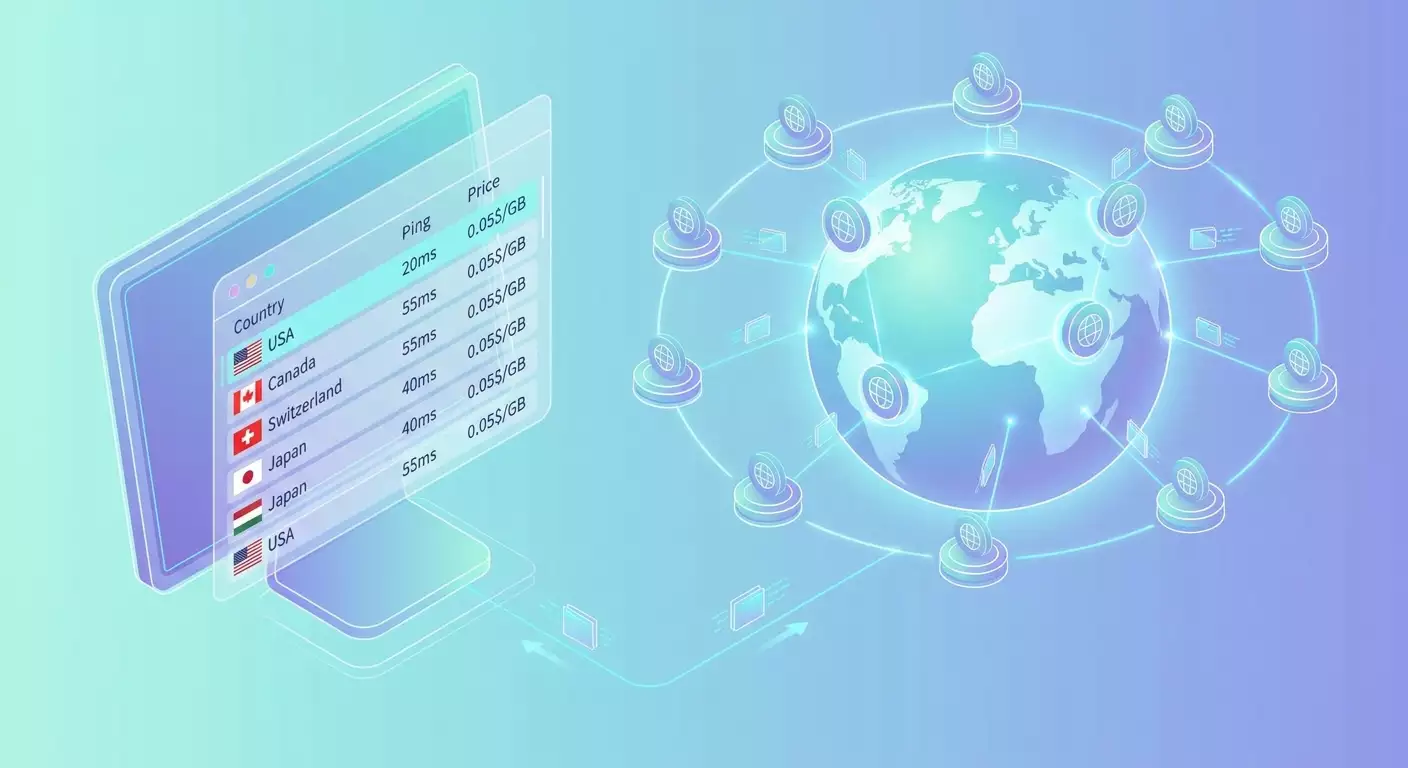
The typical flow: open the client, view a list of nodes with filters by country, IP type, price, and ping. Choose a node, establish a tunnel, enable all-traffic routing or configure split-tunneling. Payments are per megabyte or per minute, often streaming: consume traffic, get charged; disconnect, charges pause. This is great for short tasks (e.g., 30 minutes checking a campaign in another country) and saves budget compared to monthly subscriptions when sessions are infrequent.
Strengths of dVPN
- Decentralization & Resilience. No single backend to shut down or broadly block. Nodes constantly change; new providers join regularly.
- IP Diversity. Many non-overlapping subnets including residential segments, useful for A/B pricing, geo testing, and precise parsing.
- Payment Model. Micropayments for actual use work well for short runs and pilots.
- Protocol Flexibility. WireGuard, OpenVPN, and obfuscation plugins available depending on client and node.
Limitations and Risks
- Unpredictable Quality. Nodes are individual providers. Speed might be great today but offline tomorrow or throttled by the provider.
- Client Differences. Not all apps support full features like kill-switch, split-tunnel, or multihop. Test before production use.
- Legal Responsibilities. You may receive claims for actions through your node. Operators should set filters and geo-restrictions; users must comply with laws and service policies.
- Streaming Compatibility. Some platforms detect and block unusual IP traffic. Stable nodes and rotation are essential.
Scenario 1. Bypassing Restrictions and Accessing Geo-Locked Services
Who and Why
Journalists, startup founders, developers facing selective domain, CDN, or cloud blocks. The goal is fast access recovery without complex setups, switching countries with one click.
How to Use: Step by Step
- Install the Mysterium or Sentinel client on desktop or mobile.
- Log in and top up your balance with the ecosystem token or integrated payment gateways (if supported).
- Open the node list, filter by countries without blocks, check ping and prices per GB or minute.
- Enable kill-switch and, if needed, split-tunneling: route only problematic domains through dVPN, direct the rest. This lowers latency and traffic, cutting costs.
- Connect to the selected node. Test website, API, and cloud access.
- Switch nodes if the connection degrades. Add 2-3 favorite nodes from different countries.
Example with Numbers
An 8-person dev team faces periodic container registry blocks. Via dVPN, they split-tunnel only registry and CI/CD domains, routing traffic through a Netherlands node. Average latency rises from 45 to 80 ms, acceptable for layer downloads. Usage is 18-24 GB weekly; cost varies between $7-$11 depending on nodes. Split-tunneling saves up to 60% versus full-tunnel traffic.
Tips
- DNS over HTTPS. Enable DoH/DoT in your system or client to avoid DNS leaks.
- Obfuscation. If DPI is applied, use nodes supporting obfuscators or TLS wrapping.
- Profiles. Create two profiles: "work" with nodes near your infrastructure and "content" with geo nodes for streaming—to switch quickly.
Scenario 2. Marketing Analytics, Parsing, and Checking Regional Search Results
Who and Why
Performance marketers, SEO specialists, retailers, and price aggregators need to view local search results, competitor creatives, prices, and SKU availability “as local users” without immediate bans or captchas.
Step-by-Step
- Choose dVPN clients that allow manual node selection and proxy mode (SOCKS5) for parsing tools when needed.
- Build a pool of 10-30 nodes in target countries. Sort by stability and price; run basic stress tests at 50-100 requests per minute.
- Set up node rotation in your parser orchestrator: new session = new node or sticky sessions of 10-15 minutes.
- Limit frequency and mimic human behavior: pauses, User-Agent changes, time windows.
- Use CAPTCHA services only if necessary; better to reduce frequency and increase node diversity.
- Monitor status codes, redirects, and response times. If 403/429 errors spike, lower the rate and swap pools.
Case Study: Pricing Evaluation in 6 Countries
An electronics online store checks prices daily on 12,000 product cards across 6 countries. The pool includes 24 nodes, 6 of which are residential. Average requests per second per country are 1.8; the total window is 4 hours overnight local time. Captchas dropped from 12% to 3% after switching from centralized VPN to rotating dVPN. Traffic volume is 85-110 GB per day; cost is $28-36, while price accuracy increased to 98.4% thanks to cleaner channels and fewer subnet blocks.
Best Practices
- Sticky IP. For sites with anti-fraud, keep sessions on one IP for 10-20 minutes instead of switching every minute.
- Clean Headers. Remove unnecessary headers and adjust Accept-Language to the region.
- Log Attempts. Save raw responses and headers for later heuristic improvements.
Scenario 3. QA and Localization: Testing Your Product from Another Country’s Perspective
Who and Why
Mobile app, e-commerce, and payment teams check CDN availability, geo-regulations, localized pricing, payment options, and correct redirects to legal documents.
Step-by-Step
- Set up a test environment: desktop with browser, mobile emulator, or real smartphone with dVPN client.
- Select nodes in release countries. Residential IPs are preferred for payment tests to simulate real buyers.
- Enable HAR capture and browser network logging to track CDN, codes, and parameters.
- Perform end-to-end tests: from landing page to payment, including locale, currency, and payment methods.
- Record screencasts and metrics: TTFB, LCP, cart load time, checkout steps, PSP status transitions.
- Compile bug reports and recommendations on CDN rules, legal pages, and locales.
Case Study: Payment Form and Local Taxes
A fintech product launches subscriptions in Spain and Poland. QA verifies card and local payment methods via dVPN. Two issues found: incorrect IVA rate for some SKUs in Madrid and untranslated bank error messages in Warsaw. Fixes improved payment page conversion from 2.3% to 3.1%; retries dropped by 18%.
Tips
- Geo Coverage. Keep backup nodes from neighboring markets — e.g., for Italy add nodes from Austria and France to verify CDN cache.
- Network Timeouts. Use realistic timeouts for high-latency countries to avoid missing edge cases.
- Disable Auto-Translation. Turn off browser auto-translate in tests to spot localization issues.
Scenario 4. Security for Journalists, NGOs, and Researchers
Who and Why
Journalists, activists, and civil initiative analysts need secure communication, source access, and protection from correlation analysis by providers and adversaries.
Practical Steps
- Use a desktop dVPN client with kill-switch and a policy allowing only whitelisted apps.
- Build a node set with good reputation and stability, ideally in countries with strict privacy standards.
- Enable multihop if supported—one node in one country, another in a different one—to complicate correlation at the cost of increased latency.
- Use end-to-end encrypted messengers and a separate browser profile solely for work.
- Store connection logs on encrypted volumes; disable auto-approval of new nodes in favorites.
Example: Secure Material Transfer
A newsroom in Eastern Europe publishes an investigation. dVPN provides editors with temporary private cloud access in a neutral jurisdiction. Access time is 40 minutes with multihop Germany plus Iceland. After release, all session keys are deleted, logs are encrypted and removed according to protocol. This reduces risks of local blocks and traffic analysis during publication.
OPSEC Tips
- Separate Devices. Don’t mix personal accounts and work profiles in one browser.
- Clean Document Metadata. Remove EXIF and file properties before sharing.
- Time Limits. Conduct critical tasks in narrow timeframes only on trusted nodes.
Scenario 5. Node Operator: How to Launch a Node and Earn
Who and Why
Owners of stable home connections and VPSs looking to monetize idle traffic. dVPN pays for bandwidth and uptime, offering passive income with proper setup and rule compliance.
Node Deployment: Step by Step
- Choose your platform. A home connection with static IP and good uplink offers chances for premium sessions; VPS is easier to manage and secure.
- Prepare the environment. Update OS, configure firewall, enable system monitoring, set limits, and open necessary ports depending on client and node role.
- Install the node. Docker images are common. Configure wallet for payouts and pricing policy: cost per GB, per minute, daily limits.
- Enable basic filters. Block SMTP, P2P, and other high-risk categories if not needed to reduce abuse reports.
- Limit geography if local laws restrict relaying; whitelist consumer countries or shift to a "corporate partners only" model within the ecosystem.
- Set up alerts for speed drops, increased 4xx/5xx health check errors, and abuse complaints to adjust settings timely.
Economics and Metrics
An operator runs a node on a gigabit home connection with static IP, limiting clients to 20 Mbps and 10 simultaneous sessions. Average load is 12% during daytime, 25% at night. Monthly traffic is 5.2 TB; effective revenue equals $24-$36 depending on conversion and price fluctuations. VPS with 1 Gbps and 200 Mbps limits has lower revenue due to cloud subnet detection by some services, but uptime stability and abuse incidents are better.
Common Mistakes
- Open Services. Don’t leave management panels or SSH open without IP or key restrictions.
- No Limits. Unlimited speed and sessions quickly cause overloads and provider complaints.
- Ignoring Logs. Without analyzing peaks and errors, you lose rating and fall behind in node listings.
Scenario 6. DevOps and SRE: Emergency Channels and CI/CD Resilience
Who and Why
DevOps and SRE teams prioritizing continuous delivery. If local providers block access to artifacts, images, and clouds, dVPN offers a quick backup path without building your own infrastructure.
Implementation Steps
- Choose a client with CLI control for pipeline automation.
- Set up a dedicated agent on build servers or proxy hosts, routing only CI/CD traffic (policy-based routing).
- Configure split-tunneling by FQDN and CIDR for cloud registries and packages. Enable IPv6 rules if artifacts are available only via v6.
- Enable kill-switch and fallback: builds pause if nodes disconnect, waiting to reconnect to backup nodes.
- Test under load with cold cache (simulate pulling 3-5 GB of layers for 4-6 projects simultaneously).
Case: Pipeline Recovery
A company with 40 engineers experiences public container registry access failures at some providers. A dedicated dVPN host routes only registry and package domains. Build time returns to near normal, rising by only 12-17% from pre-outage levels, with SLA back above 99.5%. Additional traffic is 320-480 GB monthly, costing $100-140 at current node rates.
Practice Tips
- Caching. Use local caches and mirrors to minimize dVPN load.
- Version Control. Pin base images and avoid frequent floating dependencies.
- Alerting. Monitor RTT degradations to target registries and auto-switch to nodes in neighboring countries.
Scenario 7. Content, Streaming, and A/B Pricing: Careful and Legal Use
Who and Why
Travelers, researchers, and product analysts who want to check local catalogs, compare airfare and subscription prices without violating service terms or laws.
How to Do It
- Choose nodes with stable sessions. For streaming, seek nodes labeled "high stability" and low jitter.
- Enable full tunnel mode and check speeds: 8-12 Mbps suffice for HD streaming; 20-35 Mbps for 4K.
- For price comparisons, use a clean browser profile without history or cookies; mimic typical device and locale.
- Gather 3-5 snapshots during the day since services often change prices dynamically.
Case Study: Subscription Pricing Comparison
A product team studies subscription prices in 4 countries. dVPN reveals local rates, taxes, and bundles. Standard plan differences reach 18-27%, uncovering promotional windows absent in the base country. The research supports partnership talks and local pricing strategies. Important: this is research, not license circumvention; final recommendations account for legal risks and ToS compliance.
Best Practices
- Transparency. Internally document that dVPN is used solely for research, not license violations.
- Stable Nodes. For long streams, favorite nodes and verify them daily.
- Isolation. Use separate browser profiles per region without third-party extensions.
Tool Combinations: How to Boost dVPN
dVPN works best alongside other tools in real workflows. A few effective combos:
- dVPN plus Local Proxies. dVPN serves as primary masking layer; local proxies fine-tune routing in parsing. Helps reduce subnet bans.
- dVPN plus SSH Tunnels. For DevOps: encrypted channels to specific hosts over dVPN when multilayered access separation is needed.
- dVPN plus Isolated Browsers. Profiles in separate containers, differing locale and fonts reduce fingerprinting risks.
Comparisons with Alternatives: When dVPN Wins and When It Doesn't
Centralized VPNs
Pros: predictability, SLAs, corporate features, unified 24/7 support. Cons: fewer IP variations, shared subnets more often blacklisted, trust issues regarding logs. dVPN excels where diverse IP types and flexible pay-per-use matter. It falls short when formal SLA and audits are required.
Personal VPN Servers
vpn.how provides personal VPN servers with dedicated IP addresses. Available locations, protocols and current prices are shown on the website and in your account. Payment methods and the final amount are displayed at checkout. Choose a server
Mesh Overlays: Tailscale, ZeroTier
They provide private Layer 3 networks between your devices and servers, ideal for internal private service access. However, they don’t by default offer reliable internet egress through multiple IPs in various countries. dVPN focuses exactly on external egress and IP diversity.
WARP/1.1.1.1
Reduces latency, offers private DNS, and egress through a major provider’s infrastructure. Great if you want better connection quality and DNS privacy. But not a marketplace for diverse IPs or personalized geo nodes.
Tor
Max anonymity via onion routing, but high latency, unstable speeds, and strict service limits. Good for niche privacy tasks but unsuitable for large-scale parsing and streaming. dVPN balances speed, cost, and IP diversity.
Commercial Proxy Networks
Residential and mobile proxies boast high anti-fraud pass rates but are often pricier. dVPN can be a budget-friendly early-stage alternative, moving toward hybrid setups: some traffic via dVPN, critical blocks via premium proxies.
FAQ: 10 Practical Questions
1. Is Using dVPN Legal?
Depends on jurisdiction and purpose. In most countries, using VPN itself isn’t banned, but you’re responsible for actions via the network. Check local laws and service terms.
2. What Are Real Speeds on dVPN?
Highly node-dependent. WireGuard on good nodes can reach tens or hundreds of Mbps, but average speeds around 10-50 Mbps with stable nodes are realistic. Usually enough for HD streaming.
3. Do They Support WireGuard and OpenVPN?
Yes, but it depends on the ecosystem and specific node. Many clients offer both plus obfuscation. Check node details and client documentation.
4. What About Logs and Privacy?
dVPNs are designed to minimize centralized metadata collection. However, some nodes log temporarily due to legal requirements. Choose high-reputation nodes and enable metadata minimization in clients.
5. Can I Get a Residential IP?
Yes, some nodes are marked as residential or home ISP. These are scarcer and pricier but vital for QA and A/B pricing. Filter by node type.
6. How to Avoid DNS Leaks?
Enable DoH or DoT, use client options forcing DNS through the tunnel. Test on DNS leak sites to confirm no direct requests leak.
7. Is dVPN Suitable for Netflix and Similar Services?
Sometimes yes, sometimes no. It depends on the platform’s IP detection. Look for nodes marked "streaming-friendly", but they may get blocked over time. No guarantees.
8. Can I Deploy My Own Node Just for Myself?
Technically yes, setting up a node with restricted access. But it’s simpler and safer to use a personal VPN server where you control the server and IP, avoiding market participation.
9. How Do Payments and Fees Work?
Typically streaming micropayments in the ecosystem token with small network fees. Clients hold deposits and deduct upon usage. Details vary by network and client.
10. What About Taxes for Node Operators?
Income from running nodes is potentially taxable. Rules depend on your country. Keep records of income and transaction exports, consult with an accountant.
Common Mistakes Using dVPN and How to Avoid Them
- Relying on a Single Node. Keep at least 3-5 trusted nodes per country or risk downtime.
- No Split-Tunneling. Full tunnel when unnecessary adds cost and latency.
- Aggressive Parsing. High RPS with no pauses leads to bans. Act human, not like a bot.
- Ignoring Kill-Switch. Without it, traffic can leak directly if the node drops, exposing your IP.
- Identical Browser Profiles. Fingerprinting hurts repeatability in geo research. Isolate profiles and locales.
Technical Details: What Affects Quality Under the Hood
- Tunneling Protocol. WireGuard is usually faster and simpler for mobile. OpenVPN with obfuscation helps on filtered networks. Check node support.
- MTU and Fragmentation. Lower MTU to 1380-1420 on long routes to avoid fragmentation and retransmissions.
- Node Reputation. Rating mechanisms filter noise and provide stable addresses. Higher uptime means more trust.
- NAT Traversal. Home nodes behind strict NAT handle incoming poorly. Clients use tricks but degradation is possible.
- Multihop. Boosts privacy and resilience but increases latency. Use selectively.
Quick Start: How to Rapidly Adopt dVPN in Your Team
- Define your goal: bypassing blocks, geo QA, parsing.
- Choose an ecosystem and client matching your use case. Verify support for needed protocols and features.
- Build a pilot node pool by country and IP type. Run a short test with a week’s worth of tasks.
- Set security policies: kill-switch, split-tunnel, logging, auditing.
- Set budget and KPIs: cost per successful session, error rate, average ping, bandwidth.
- Scale up: automate rotation, alerts, and reporting; refresh node pools weekly.
Conclusions: Who Benefits from Mysterium and Sentinel, How to Start, and What to Expect
Decentralized VPN is ideal when flexibility, IP variety, and block resistance via decentralization matter. For marketers and analysts, it’s about seeing "as a local user" from various countries. For DevOps, emergency artifact and repo routes. For QA, accurate localization and payment checks. For journalists and NGOs, an extra layer of operational security with sound OPSEC. For node operators, a way to monetize bandwidth responsibly.
However, dVPNs aren’t a silver bullet. Node quality varies, and some services detect the traffic. For stable dedicated IPs and full server control, personal VPN servers like vpn.how are better. For private networks among your devices, Tailscale and ZeroTier remain solid choices. The right pick is engineering pragmatism—not dogma: match goals, privacy needs, budget, and operational workload. Start with a 1-2 week pilot, gather metrics, refine processes, then scale. This way, you’ll get the most from Mysterium, Sentinel, and the dVPN approach overall in 2026.
Publisher: vpn.how